
Huddle feature - files shared across workspaces
My role: Lead UX designer and researcher
Problem: Users were unable to share files across different workspaces within Huddle. This created friction for those working with multiple teams or clients, requiring them to duplicate files manually or rely on external tools — leading to lost time, confusion, and decreased collaboration efficiency.
Solution: We introduced a cross-workspace file-sharing feature that allows users to securely and seamlessly share files between different workspaces. Through thoughtful UX design, we ensured a simple, intuitive flow that respected workspace boundaries, maintained file integrity, and clearly communicated permissions — all while reducing cognitive load.
Lets research
The goal of our research was to understand how users organize their workspaces in Huddle, what types of files they would potentially share across them, and their expectations around permissions, access, and frequency of sharing. To gather these insights, we conducted user interviews with professionals managing multiple teams, clients, or departments within the platform.
Key findings included:
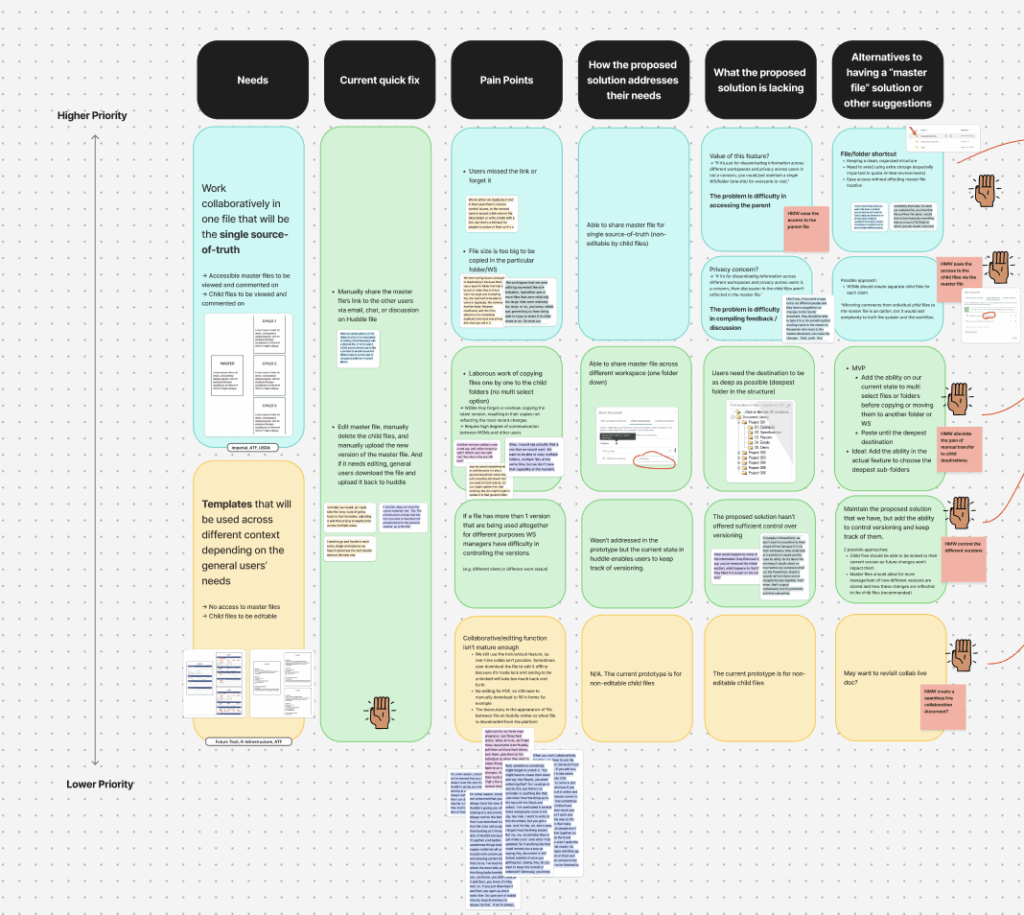
Frequent cross-workspace collaboration: Many users worked across multiple workspaces (e.g., internal teams and external clients) and expressed a strong need to share files between them without duplicating content or resorting to third-party tools.
Types of shared files: The most commonly shared files included project briefs, reports, creative assets, and templates — content that often needed to be reused or reviewed across different groups.
Organizational pain points: Users struggled with managing the same file in different places, leading to version control issues and inefficient workflows.
Permission clarity: There was a clear need for granular control over editing and viewing rights. Users wanted to ensure that shared files could be restricted to view-only or editable based on role, and that workspace boundaries remained respected.
High interest and value: Overall, users expressed that the ability to share files across workspaces would be tremendously valuable, as it would reduce friction, improve collaboration, and save time — especially for those juggling multiple parallel projects.
These findings directly informed the solution design, ensuring the feature was not only technically functional but also aligned with real-world user workflows and expectations.
Ideation (high fidelity designs)
We have a very extensive design system so the best approach for this due to tight deadlines was to create a high-fidelity design which we can prototype with users.
I wanted to gain as much user feedback as possible on the prototype to ensure that if I need to make changes, there is time left to make those. Thankfully, there weren’t many changes I needed to make.
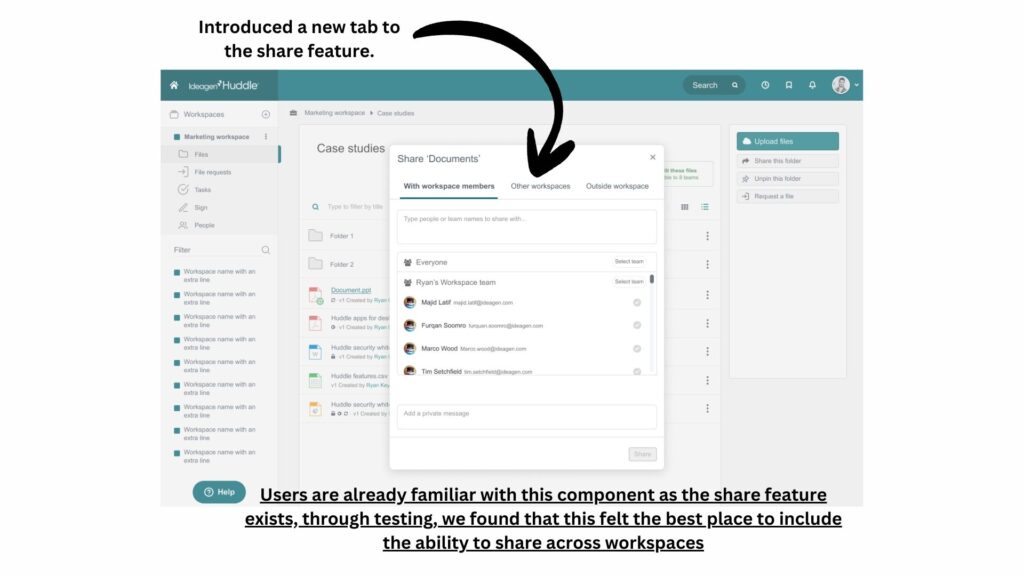
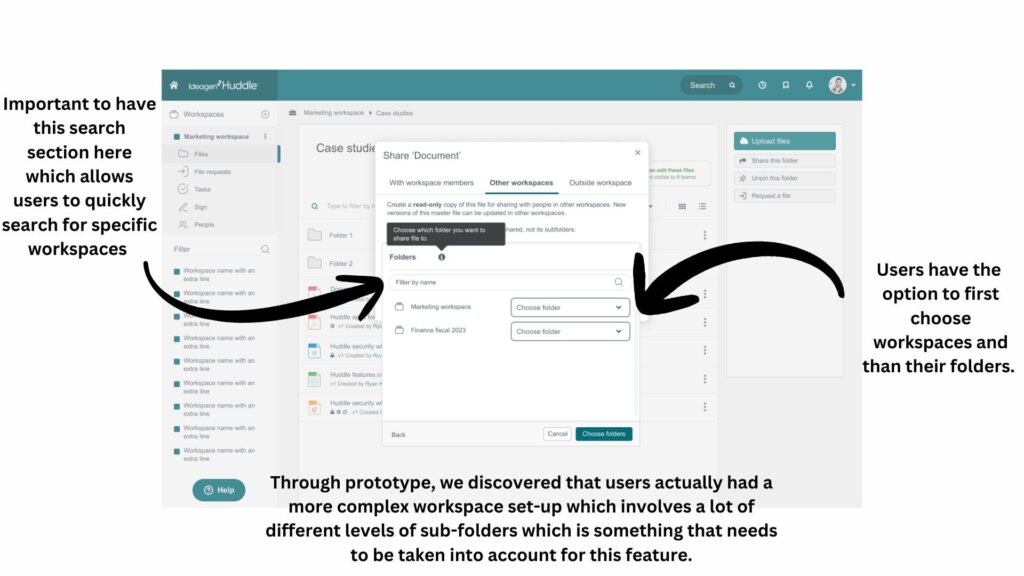
Usability Study
Study type: Moderated usability study
Location: France, America and England (each participant went through the usability study in their own home), supervised by my self and another user researcher
Participants: Participants varied in ages and job roles
Length: Each session was between 30 to 45 minutes long.
Results: Users felt that the prototype was very intuitive, they were more concerned regarding permissions and editing rights as well as how deep to the folder level can we go when sharing. They wanted the prototype to go deeper into the folder level otherwise they felt this feature would not be utilised to its full potential.
Revised hi-fi prototypes after usability testing
What I learned
Designing for this project was challenging and fun, to introduce a feature that allows content to be shared across workspaces comes with its own set of challenges. You have to consider permissions, the kind of content that is shared, why is it being shared, where is it being shared, how often and by who? All these questions that can only be answered by talking to users.
I was able to gain better understanding and insight into the workings of our users. Speaking with users revealed unexpected scenarios for file sharing — like reusing templates, cross-departmental reporting, and quick handovers between project phases — that went beyond our initial assumptions.
Additionally, this was a highly requested feature by our users and to showcase the prototype to them showed me how important it is to give users what they want and need to make their workflows easy and accessible.